Program Dashboard
|
1.
|
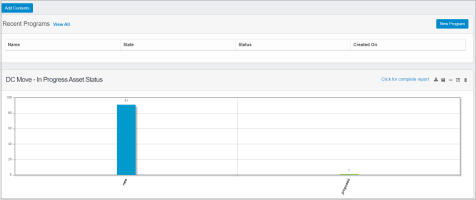
Click *program dashboard icon* present in All Modules page. Program Dashboard page is displayed. |
The page displays following information:
| Parameter |
Value |
| Name |
It is the name given for the corresponding Program |
| State |
It is the defined state for the corresponding State |
| Status |
It is the present status defining program status |
| Created On |
|
|
2.
|
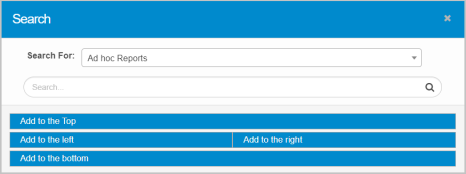
Click Add Contents to update required Reports to be displayed in the Dashboard page. |
|
3.
|
Select required type of the report from the drop-down. |
|
4.
|
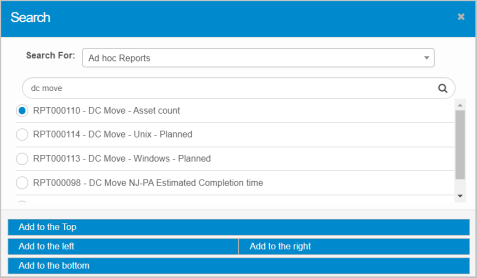
Enter the search criteria in the given text box, and then click *Search icon* |
|
5.
|
The results are displayed as per given search criteria. |
Report Alignment in Dashboard page:
|
1.
|
Select required report, and then click Add to the Top to align selected report at the top of the Dashboard web page. |
|
2.
|
Select required report, and then click Add to the left to align selected report to the left side of the Dashboard web page. |
|
3.
|
Select required report, and then click Add to the right to align selected report to the right side of the Dashboard web page. |
|
4.
|
Select required report, and then click Add to the bottom to align selected report at the bottom of the Dashboard web page. |